Outage Coordination Platform
Connected outage planning data in Power Apps and Power BI to screen 72 outages and flag 30 potential schedule conflicts for project teams to review.
The coordination problem
During my Edison internship, outage information lived across Primavera P6 and SharePoint. That made it hard to see when projects needed the same location or work window. I built a way to bring those records together and make the overlap easier to review.
How I built it
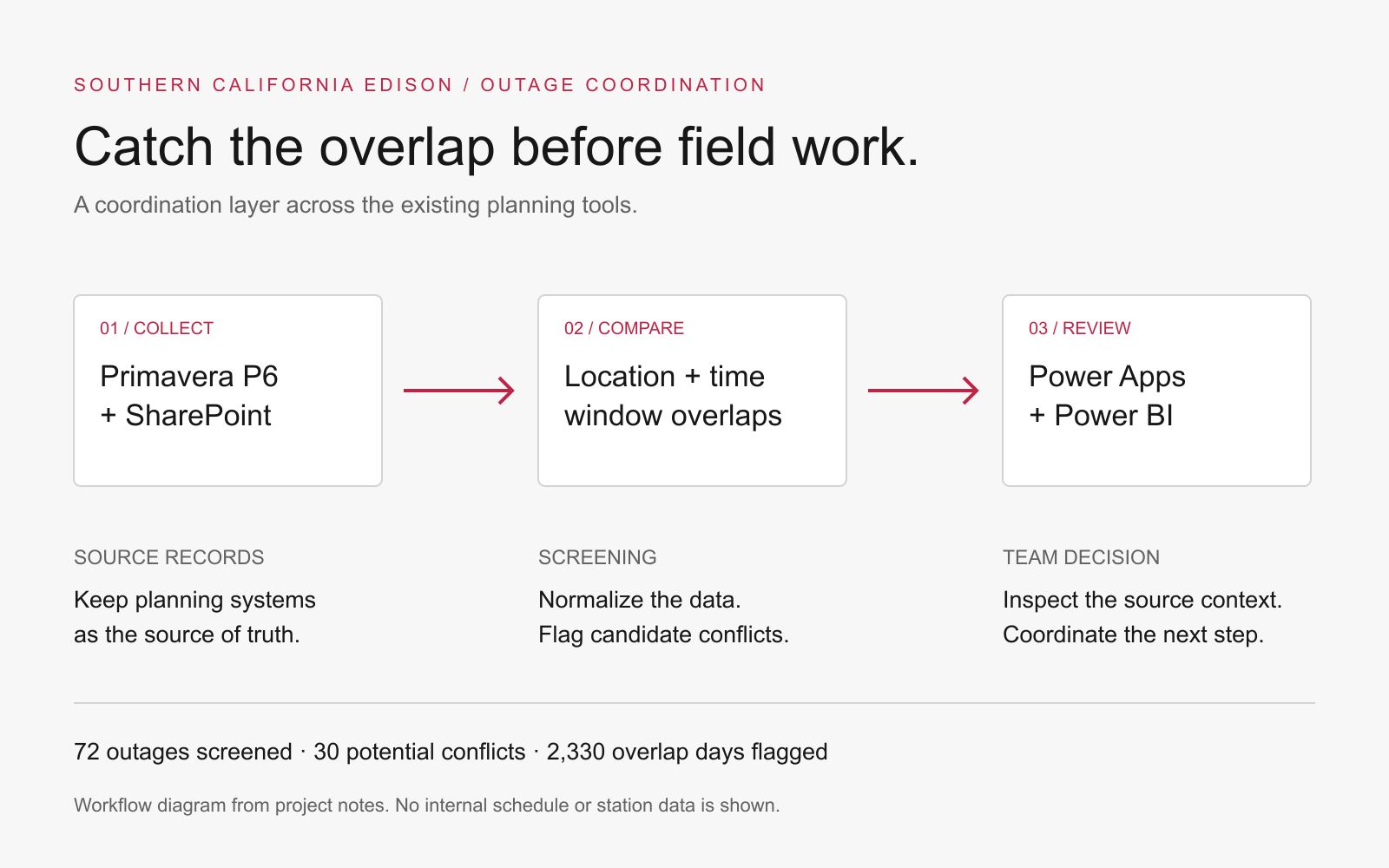
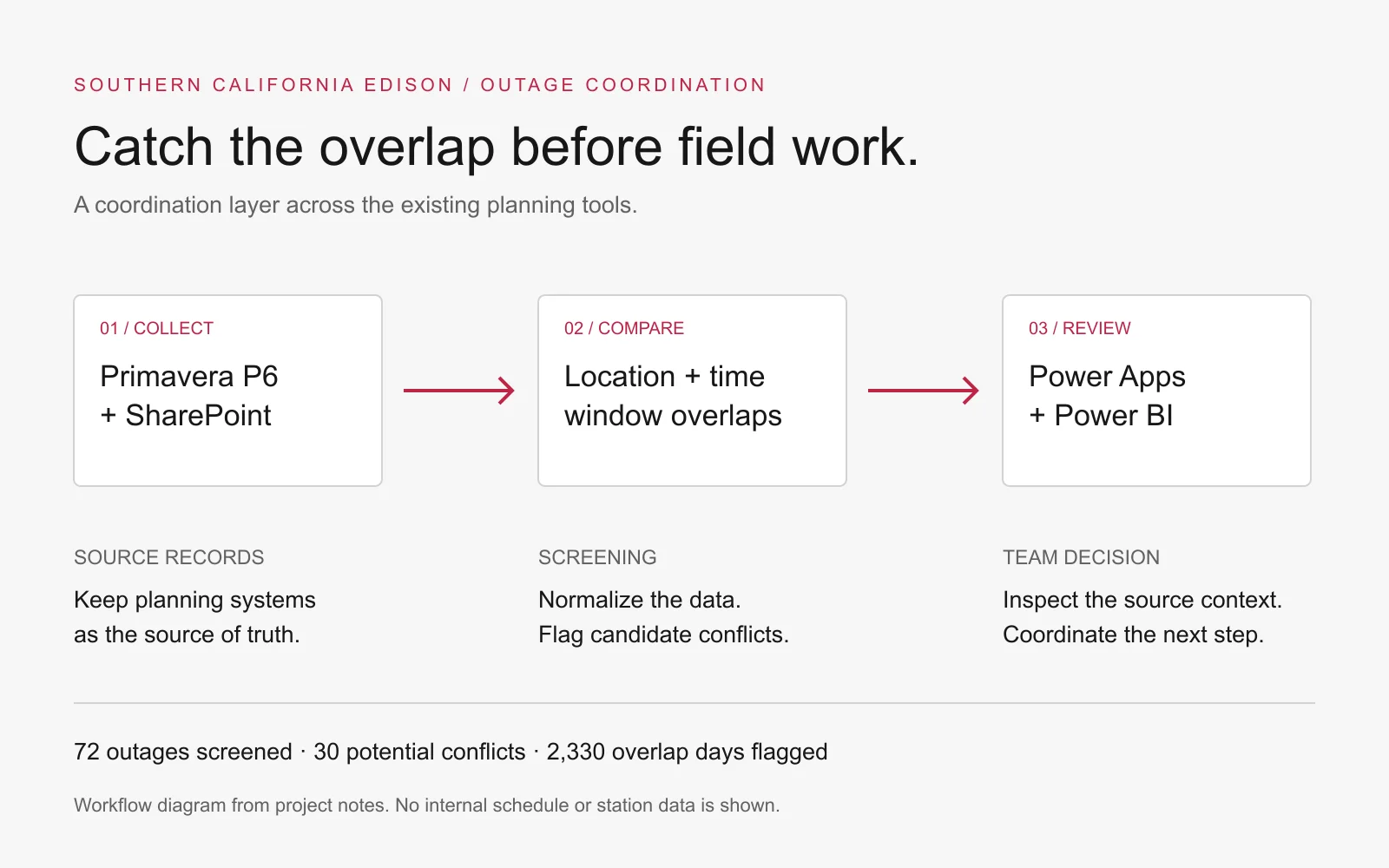
I kept the existing planning tools as the source of truth. I normalized the fields needed for comparison, checked outage pairs for location and time-window overlap, and brought the results into Power Apps and Power BI.
The goal was a useful review workflow: see the possible conflict, check the source context, and coordinate with the people responsible. The software helped surface the issue; the Project Engineers made the decision.
Each flagged overlap was an item for review, rather than an outage or incident avoided. The system diagram explains the workflow without publishing internal schedules or station data.
Result
The platform screened 72 planned outages and flagged 30 potential conflicts across 2,330 overlap days for the team to review.
What I learned
Make the next action clear. Finding an overlap only helps if someone can see where it came from and who needs to review it.
Project context
These are screening results. A flagged overlap still needed a Project Engineer to review the situation and decide what to do.
Mechanical engineering, robotics, software, and applied AI internships